When most people think of HubSpot, they picture CRM dashboards, marketing automation, and now AI-powered tools. But hidden within HubSpot’s CMS is HubDB; an important, often overlooked feature that can transform the way B2B organisations manage and scale their websites.
HubDB acts like an advanced database, making it easy to centralise content and update it dynamically across your site. For marketers managing multiple products, events, or resources, it can be a real game-changer: less manual work, more consistency, and experiences that feel tailored and professional.
We're here to break down exactly what HubDB is, why it matters and how it could accelerate your business.
So, what is HubDB?
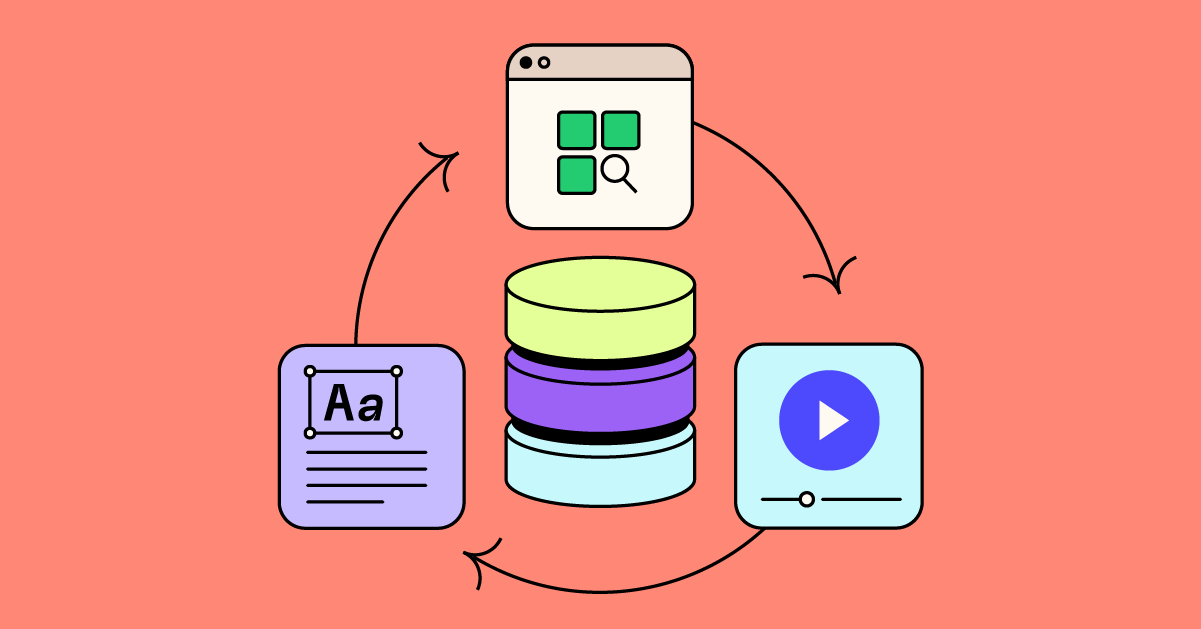
At its essence, HubDB is a relational database built directly into HubSpot's CMS. Think of it as a powerful, spreadsheet-style tool embedded inside the marketing platform that lets you create and manage tables of structured data, then dynamically render that data across your HubSpot-hosted site or landing pages.
Put simply, it's a smart table where you store information once and it automatically updates across your website, from text and links to images and dates.
Some key features of HubDB:
-
Spreadsheet-style interface: Create tables organised into rows, columns, and cells, just like a spreadsheet, within HubSpot. This makes managing your information intuitive with flexibility to customise the user experience based on the type of information you are inputting.
-
Flexible data types: Columns can accommodate text, rich text, URLs, images, dates, numbers, currencies, location coordinates, videos, and more. What's more is that you can add tags to information and start automating the delivery of the unique content depending on where visitors are on the website.
-
Relational structure: Tables can reference each other via Foreign ID columns, which allows complex, interconnected datasets for richer content experiences. This means that you can get really creative with how you apply HubDB to backend website experiences. Enabling the team to update information within HubDB without further development support.
Here's why it matters for B2B marketers...
If you're a B2B organisation with multiple products, services, or resources - we understand that updating web content can be a major bottleneck. This feature centralises structured data and then automatically pushes updates wherever that data is displayed. This means less time on manual updates and more consistency across your digital channels.
As an example, here are some use cases:
-
Dynamic Resource Libraries: Store all your white-papers, eBooks, and case studies in HubDB and automatically display them on your site with filters by topic, industry, or persona.
-
Event Calendars: Manage upcoming events, webinars, or training sessions in a single HubDB table and have them dynamically populate across multiple pages.
-
Product or Service Listings: For organisations with complex offerings, HubDB can centralise product information, pricing tiers, or feature sets and update them everywhere with one change.
-
Team Directories: Showcase your people in a dynamic, searchable directory that updates whenever new team members are added.
- Calculators or Pricing tables: Traditionally considered complex and static to build, HubDB can be used to store and streamline your information and deliver greater functionality utilising HubSpot's tools whilst being updated simply within HubDB.
Think of HubDB as your content engine: update it once, publish it everywhere.
The strategic advantage
We believe HubDB isn’t just about efficiency, it enables scalability. When used in combination with HubSpot’s personalisation tokens and smart content, you are able to deliver tailored experiences that adjust in real time to user preferences or behaviours.
For businesses looking to enable their marketing function, or drive scale, consistency, and personalisation; it’s a powerful tool worth exploring. Starting with clean data, building out your HubDB capability can create web experiences that are both flexible and deeply relevant to your audience.
Taking the next step toward HubDB
If a structured, more efficient approach to website and digital platforms is something you're interested in – we'd love to guide you toward this.
It's easier for you than it may appear. Once our HubSpot team develop the initial structure and templates, your marketing team can easily update the content without needing further technical assistance. It's a perfect balance between functionality and everyday usability.
Let's chat about making the most of your CMS.