

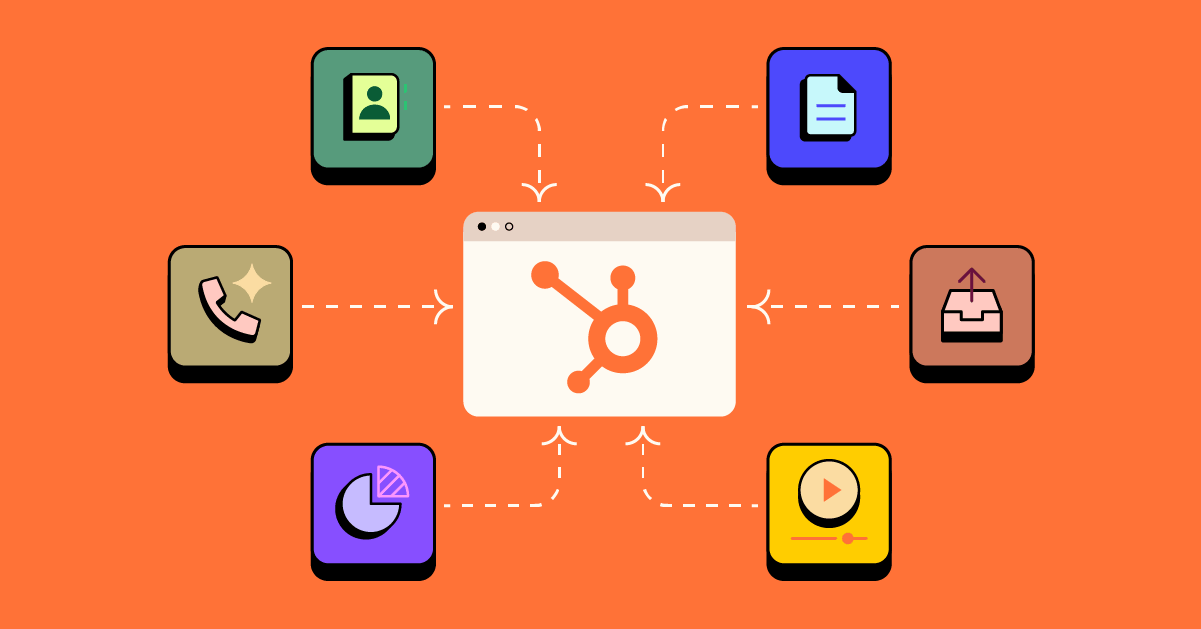
As B2B teams scale, one of the biggest challenges they face is ensuring seamless integration among their tools. CRMs, sales engagement platforms, contract tools, advertising channels, and internal systems all play a role in the customer journey. Without a central hub, data becomes fragmented, processes slow down, and teams lose visibility.
HubSpot changes that. Used well, it becomes the single source of truth for marketing, sales, and customer success. Its power is further expanded when you plug it into your broader business. The right integrations allow companies to automate repetitive tasks, capture richer customer data, streamline handovers, and build reporting that reflects the complete revenue journey. This reduces isolated touchpoints and manual updates. This focus on effective integration should make your team feel confident that your systems are reliable and supportive of growth.
For B2B organisations, where sales cycles are longer, decision-makers are multiple, and accuracy is everything, strong integrations aren’t a “nice to have.” They’re essential. They reduce operational friction, increase sales efficiency, and enable teams to scale without adding unnecessary complexity.
As B2B HubSpot experts, we explore the integrations that matter most to B2B teams. These are the ones we’ve seen improve workflows, eliminate manual work, and help leaders make clearer, faster decisions. You’ll also find practical examples, common pitfalls, and insights into how Aamplify supports clients across New Zealand and Australia to get more out of their HubSpot investment.
Not every integration is created equal. A great HubSpot integration should do more than just connect two tools; it should make a seamless flow of information that enhances visibility and saves your team time.
When evaluating an integration, look for these key qualities:
For B2B organisations, it’s also crucial to consider scalability (ensuring the integration can handle growing datasets and complex workflows) and compliance, particularly when handling sensitive client information or working in regulated industries. At Aamplify, we use HubSpot to build secure, compliant integrations that protect your data and meet industry standards. We want to ensure you have peace of mind as your systems grow and evolve.
Finally, HubSpot offers two main integration pathways:
Choosing the right approach depends on your tech stack, growth plans, and how deeply you want your tools to work together. Making an informed choice can help your team feel secure and clear about your integration strategy, reducing uncertainty and supporting confident decision-making.
Although every B2B organisation's tech stack varies, most rely on a handful of core integration categories that support the sales process end to end. When these systems connect back to HubSpot, they form a more cohesive revenue operation and equip teams with reliable, shared visibility. Recognising these categories can help your team feel more in control and better able to optimise your tools for better results.
Although every B2B organisation’s tech stack varies, most rely on a handful of core integration categories that support the sales process end to end. When these systems connect back to HubSpot, they form a more cohesive revenue operation and equip teams with reliable, shared visibility.
Tools like Apollo, ZoomInfo and RB2B make prospecting more efficient by enriching contacts, building targeted lists, and syncing engagement data directly into HubSpot. These integrations remove guesswork for sales teams and produce a cleaner, more actionable pipeline.
Many B2B organisations also integrate tools such as OrgChartHub, which maps buying committees and stakeholder relationships, or Salesforce, where sales and marketing may currently operate in parallel systems. Even payment platforms like Stripe can be integrated to streamline revenue tracking for businesses offering subscription- or invoice-based services.
Phone systems are a crucial part of the B2B customer journey. Platforms like Aircall ensure every call, whether inbound or outbound, is automatically logged and linked to the right HubSpot contact or deal. This gives sales and service teams a transparent view of conversations and follow-ups.
Some companies extend this further by integrating call recording or analysis tools, creating a rich dataset for coaching, QA, and performance insight within HubSpot.
Once a deal progresses, the contract stage becomes a key moment in the customer journey. Tools like DocuSign and PandaDoc allow teams to send, track, and manage documents directly through HubSpot. When signatures, approvals, and contract statuses sync back automatically, deals move faster, and visibility improves across sales and finance teams.
In professional services environments, this can be paired with platforms like ProjectWorks, which connect proposals through to resourcing, utilisation, and billing.
For B2B marketers, channels like LinkedIn Ads provide access to highly targeted audiences. Integrating these platforms with HubSpot allows for deeper attribution, more intelligent audience targeting, and more transparent reporting across the entire funnel.
On the lead-capture side, tools such as Typeform or even RB2B (for ABM landing pages) help businesses collect higher-quality data and push it directly into HubSpot for instant follow-up and segmentation. Platforms like Microsoft Clarity, HotJar and FullStory also integrate cleanly, providing behavioural insights or content performance data that marketers can use to optimise future campaigns.
Many established B2B companies still run parts of their business on older or parallel systems. Integrating tools such as Salesforce, Microsoft 365, or internal databases aligns sales, marketing, customer success, and finance. Something as simple as connecting Teams or Slack can massively improve the speed and visibility of internal communication around deals, tickets, and workflows.
In industries with complex financial requirements, integrations with platforms like Xero ensure that invoicing, payments, and financial workflows are reflected in the CRM, providing leaders with a single source of truth.
Operational tools such as Airtable, custom internal dashboards, or workflow systems help teams manage projects, product development, and operational handovers. When this data syncs into HubSpot, leaders can analyse performance holistically and run far more accurate reporting across teams and functions.
These integrations are often paired with automation tools or APIs to reduce manual entry, keep data clean, and ensure operational processes align with the customer lifecycle.
For many B2B organisations, the website is the first meaningful touchpoint in the customer journey. Content management systems such as WordPress are commonly used to publish content, manage landing pages, and support lead capture across campaigns and regions.
When a CMS integrates with HubSpot, form submissions and page engagement data flow directly into the CRM. This gives sales and marketing teams clearer visibility into how prospects interact with content before a conversation begins, supporting stronger follow-up and more reliable attribution.
B2B sales and marketing teams rely heavily on virtual meetings, webinars, and internal collaboration tools to engage prospects and customers. Platforms such as Microsoft Teams and Zoom are widely used for discovery calls, demos, and events.
When these tools connect to HubSpot, meeting activity and attendance data can be logged against contacts and deals. This helps teams retain context, improve follow-up, and better understand how conversations influence pipeline and campaign performance.
Not every business needs a complex tech stack. But every growing B2B organisation eventually reaches a point where disconnected systems start to slow things down. If your teams are relying on manual workarounds, missing information, or inconsistent data, it’s usually a sign that your tools aren’t communicating with each other as they should.
Here are some of the most common indicators that an integration would make a meaningful difference:
If your team spends hours retyping notes, copying information between platforms, or updating multiple systems after every customer interaction, that’s a clear sign the workflow isn’t scalable. Integrations eliminate duplication and reduce the risk of human error.
When marketing, sales, and finance each rely on separate data sources, it becomes almost impossible to produce accurate reporting. Integrating the right systems ensures your dashboards reflect the entire customer journey and not just isolated fragments.
If leads are slipping through the cracks because data sits in a spreadsheet, inbox, or an external system, an integration can automate tasks, reminders, and handovers. This keeps momentum strong and reduces the risk of losing warm opportunities.
Bottlenecks often appear at the final stages of the sales cycle. Integrating tools like DocuSign or PandaDoc ensures signatures and status updates flow straight into HubSpot, helping deals move forward without unnecessary delays.
When conversations with prospects or clients aren’t automatically logged, teams lose context, and the customer experience can suffer. Integrations with tools like Aircall, Outlook, or Teams ensure communication history is complete and easy to access.
If you don’t have clean, consistent data in HubSpot, building targeted campaigns or account-based marketing becomes difficult. Integrations help unify information, enabling marketers to segment accurately and deliver more relevant, high-impact messaging.
Seeing integrations in action helps clarify where the real value lies. Below are three common B2B workflows that show how HubSpot integrations can reduce manual work, improve visibility, and keep revenue teams aligned without adding unnecessary complexity.
Outcome: Sales teams avoid chasing signatures, deal stages stay accurate, and downstream teams are alerted instantly when a deal closes.
Outcome: No conversations are lost, follow-ups are consistent, and sales teams always have full context before the next interaction.
Outcome: B2B teams can run more focused ABM campaigns with cleaner data, better segmentation, and more precise alignment between sales and marketing.
These workflows highlight how integrations do more than connect tools. They’re designed to integrate teams, processes, and data. When designed thoughtfully, they remove friction from the customer journey and give leaders confidence that HubSpot reflects what’s actually happening across the business.
A well-planned integration can transform the way your business operates. But when integrations are rushed, set up incorrectly, or managed without a clear technical framework, they often create more problems than they solve. In B2B organisations, accuracy, compliance, and customer experience must be prioritised. Therefore, it’s important to understand the risks before connecting new systems.
Here are some of the most common pitfalls we see when HubSpot integrations are not well implemented:
If fields are mismatched, duplicated, or unmapped, the CRM quickly becomes cluttered or unreliable. Poor mapping can cause lost data, overwritten information, or incomplete records. These issues can be difficult to reverse once they spread across an extensive database.
Integrations that sync too broadly or without rules often create duplicate contacts, companies, or deals. This leads to skewed reporting, broken automation, confused sales teams, and wasted marketing spend. Clean data depends on a thoughtful integration design.
For businesses operating in regulated industries or working with clients in regions such as the EU or UK, compliance matters. Integrations that send or store personal data incorrectly can introduce GDPR and privacy risks. Ensuring data is processed, stored, and permissioned correctly is essential.
Automation is powerful, but too much of it (such as an automation triggered by the wrong fields) can derail processes. We’ve seen scenarios where integrations accidentally create unnecessary tasks, send incorrect emails, or move deals to the wrong stage.
One of the most overlooked steps in any integration project is proper testing. Without it, triggers misfire, data flows break, and teams don’t trust the system. Testing across real customer scenarios ensures that what looks good in theory actually works in practice.
Even the best integration will fall flat if users aren’t trained or informed. When teams don’t understand a new process or don’t know where data is coming from, adoption suffers. This can lead to manual workarounds creeping back in. Clear communication and training are key to successful rollout.
Every integration has the potential to streamline your operations if it’s implemented with a clear plan, a solid data structure, and a deep understanding of how your teams work. Aamplify takes a structured, collaborative approach to HubSpot integrations, grounded in both technical rigour and practical, real-world B2B experience.
We begin by understanding your current systems, processes, and pain points. This includes mapping your customer journey, identifying the platforms that need to connect, and clarifying what “success” looks like for your team.
Before anything is connected, we design a clean, logical structure for how data will flow into HubSpot. This includes mapping fields, defining data rules, and resolving inconsistencies that could lead to duplication or unreliable reporting.
Whether using a native HubSpot app or a custom-built API connection, we manage the technical setup to ensure your systems are connected correctly, securely, and with minimal disruption.
Once the data is flowing reliably, we help you create the workflows that make your processes more efficient, from lead handovers and sales follow-up to contract automation and reporting.
Before anything goes live, we rigorously test the integration across real scenarios. This includes checking for edge cases, monitoring for unintended triggers, and ensuring all data behaves exactly as expected.
We equip your team with the knowledge and support they need to use the new system confidently. Clear documentation and hands-on training ensure smooth, sustainable adoption.
As your business evolves, so will your systems. Aamplify provides ongoing support to refine workflows, expand integrations, and ensure your tech stack continues to support your goals.
This structured, consultative approach helps B2B organisations get the benefits of strong integrations without the risks or complexity.
If your systems feel disconnected, if your reporting isn’t quite accurate, or if your teams are spending too much time on manual work, an integration audit may be the simplest way to unlock significant improvements. Aamplify’s HubSpot Health Check provides a clear, practical roadmap tailored to your business. We’ll help you identify what to connect, how data should flow, and which processes can be automated for better performance.
Whether you’re integrating a single tool or reviewing your entire tech ecosystem, we’ll help you build a cleaner, more connected HubSpot environment that supports your growth.
Ready to get started? Let’s explore your current setup and identify opportunities to make your systems work harder for you.
Join the newsletter
Get our take on the latest B2B marketing and HubSpot news, delivered to your inbox each month.
The right agency relationship starts with an honest conversation. Complete the form below and tell us where you're at. We read every word, so don't hold back.
We usually respond back within 30mins on business days.
Trusted by leading companies worldwide